Most restaurant lighting failures take root before opening night. An owner selects fixtures from a catalog, the electrical contractor drops junction boxes where conduit runs most easily, and the finished dining room ends up disjointed. Pendants hang off-center above tables, bar counters cast shadows over drink preparation, and food looks washed out under poor spectrum quality. Correcting these errors after drywall and millwork are complete requires physical ceiling demolition, expensive change orders, and opening delays.
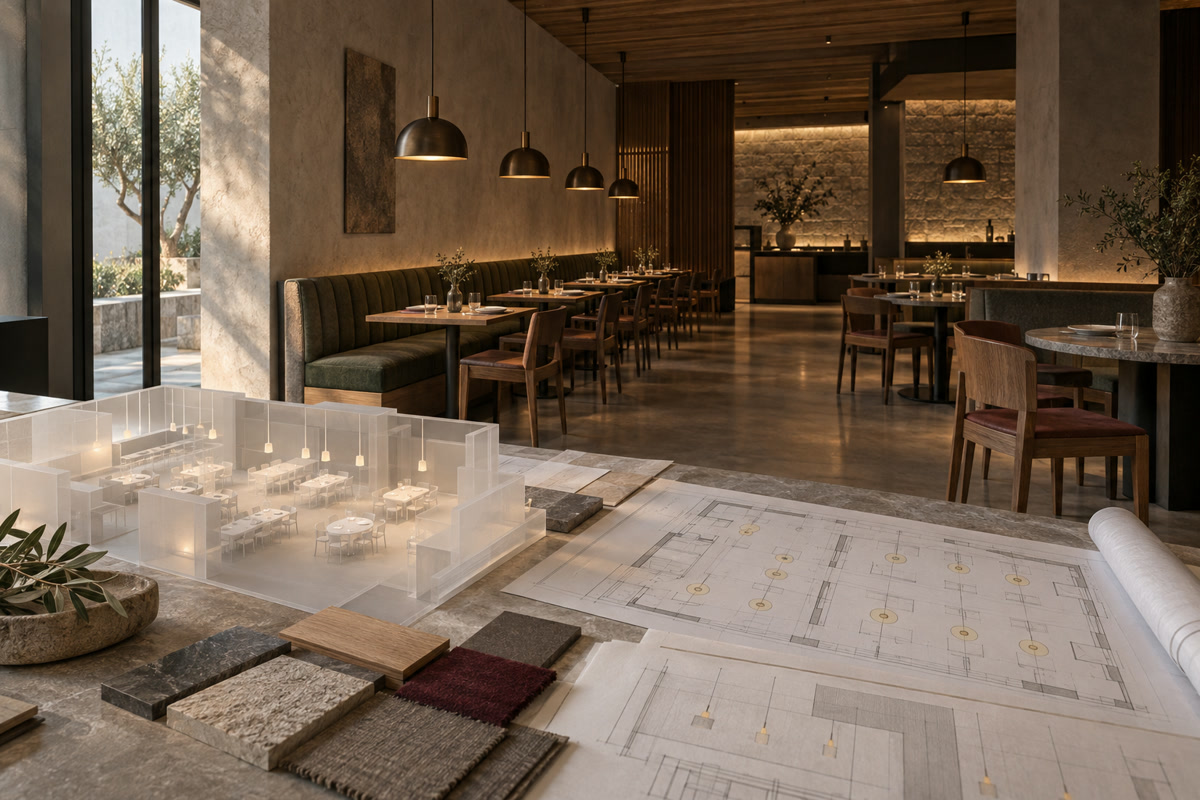
A 3D interior model integrates fixture specifications directly into architectural floor plans. Before pulling wire, the design team can verify fixture proportions, evaluate color temperatures against actual finishes, simulate daylight changes, and confirm illumination levels across every operational zone.
Why Lighting Decisions Belong in the 3D Design Stage
Locking fixture specifications into the 3D model links electrical rough-ins to the final seating layout, removing guesswork from on-site ceiling placement.
Risks of Choosing Fixtures After Construction
Postponing fixture selection forces the dining room layout to compromise with arbitrary ceiling drops. When trade contractors rough in boxes based strictly on standard spacing or code minimums, several coordination problems follow:
- Junction boxes frequently end up centered over service aisles instead of dining tables, leaving pendants hanging in walking paths.
- Catalog tear sheets fail to convey volumetric scale, so a fixture that looks modest on paper can easily crowd an eight-foot (2.4-meter) ceiling or disappear beneath an open structure.
- Shifting an installed drop box in finished drywall, tongue-and-groove wood, or acoustic plaster requires patching, repainting, and pulling new wire, often costing more in labor than the fixture itself.
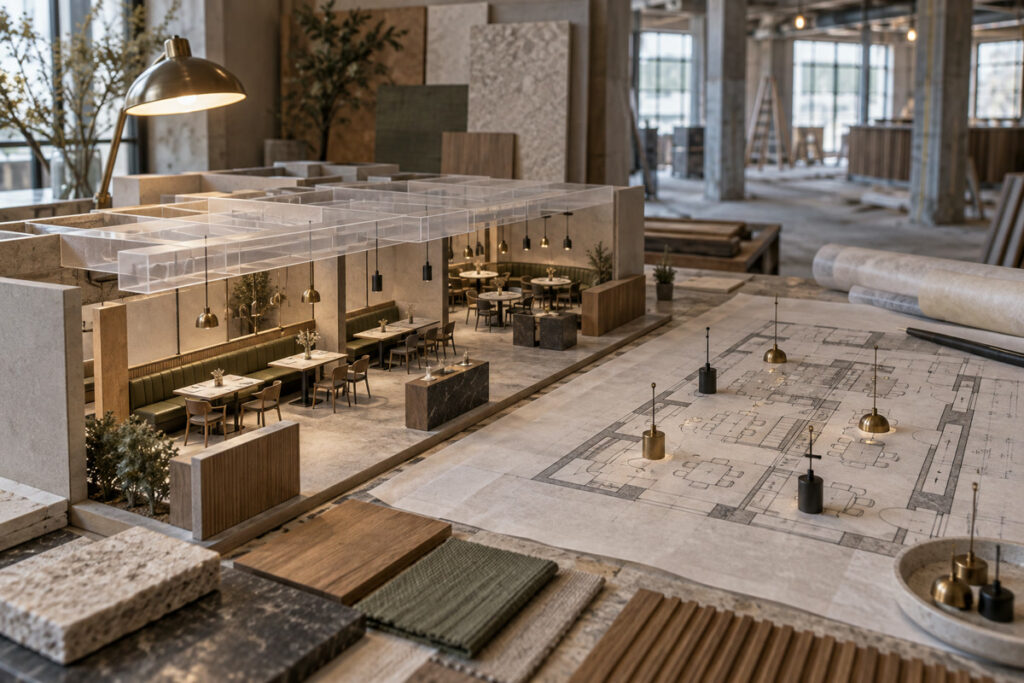
A coordinated 3D model catches these clashes early because fixtures share digital coordinates with mechanical ducts, soffits, architectural millwork, and loose furniture.
Simulating Photometrics in 3D
A 3D lighting plan visualizes how specified fixtures illuminate physical surfaces, mapping beam angles, cut-off profiles, and material reflectance across the room. If a narrow accent light grazes a textured plaster wall, the model shows the resulting shadow gradient. If a decorative pendant hangs within the throw of a supply grille, the collision appears on screen immediately.
This spatial coordination turns fixture schedules into measurable visual data. Designers can test how back-bar accent lights interact with banquette surfaces nearby, checking for stray glare across patron sightlines. Commercial modeling methods seen in office lighting design apply here as well, though dining rooms balance low-glare intimacy and surface textures instead of uniform work-plane footcandles.
Dining Area Lighting and Atmosphere Control
Dining room lighting balances guest comfort with operational flexibility, using targeted color temperatures and mounting clearances to shape the room.
Matching Color Temperature and Dimming to the Restaurant Concept
Color temperature sets the foundation for service. Warm white light between 2700 K and 3000 K complements skin tones and enriches wood tones, making it the practical choice for fine dining, steakhouses, and intimate lounges. Fast-casual concepts often move toward 3200 K to 3500 K to support daytime turnover, while light exceeding 4000 K tends to make fresh food look unappealing and polished surfaces feel institutional. Specifying a Color Rendering Index (CRI) of 90 or higher, with an R9 red-spectrum value above 50, keeps plated dishes and wine hues looking natural.
Dimming capability is equally critical. Multi-service venues need scheduled scene transitions from daytime preparation to intimate evening service. Inside the digital model, designers test lighting profiles at higher lux outputs for daytime cleaning and drop to subtle, warm focal levels for dinner, keeping menus legible without forcing guests to squint.
Coordinating Pendant Heights, Table Spacing, and Ceiling Conditions
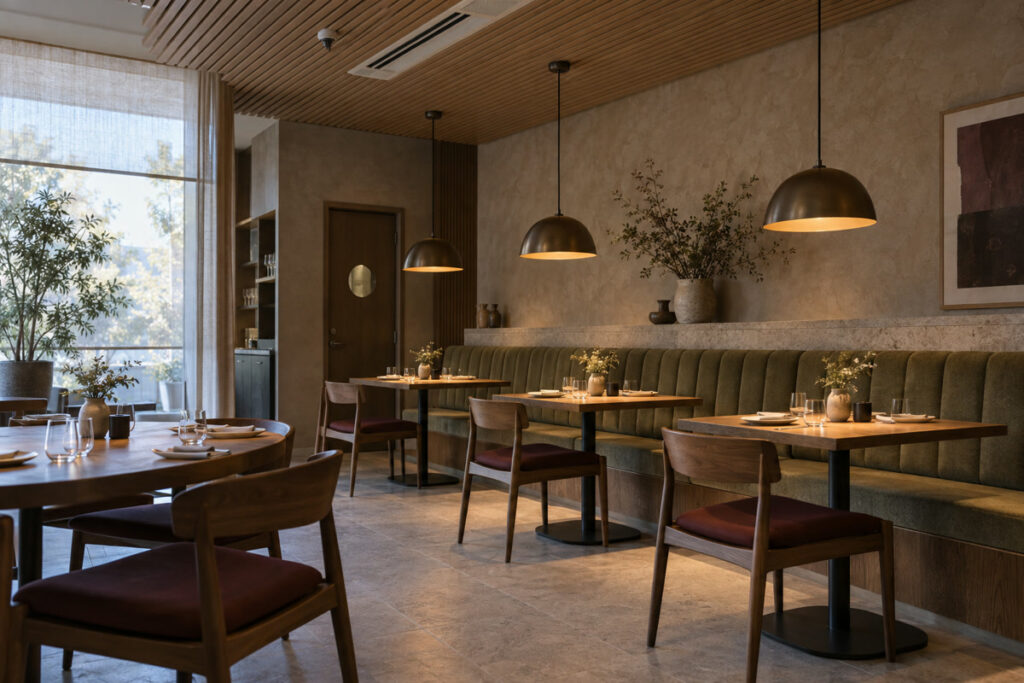
Pendants visually anchor dining tables, but improper suspension ruins sightlines and creates glare. Hanging shades 28 to 34 inches (700 to 860 mm) above the tabletop provides an effective starting point, though wide-aperture shades or low ceilings require tighter tolerances to maintain clear views across the room.
In the model, each fixture hangs at its true drop length directly above the furniture footprint. When planning perimeter seating, incorporating banquette seating dimensions, including seat depth and table overhang, establishes the exact centerpoint for ceiling drops. This step keeps pendants aligned over table centers and flags obstructions from sprinkler heads or air diffusers well before trades mobilize on site.
Bar, Lounge, and Transition Zone Lighting
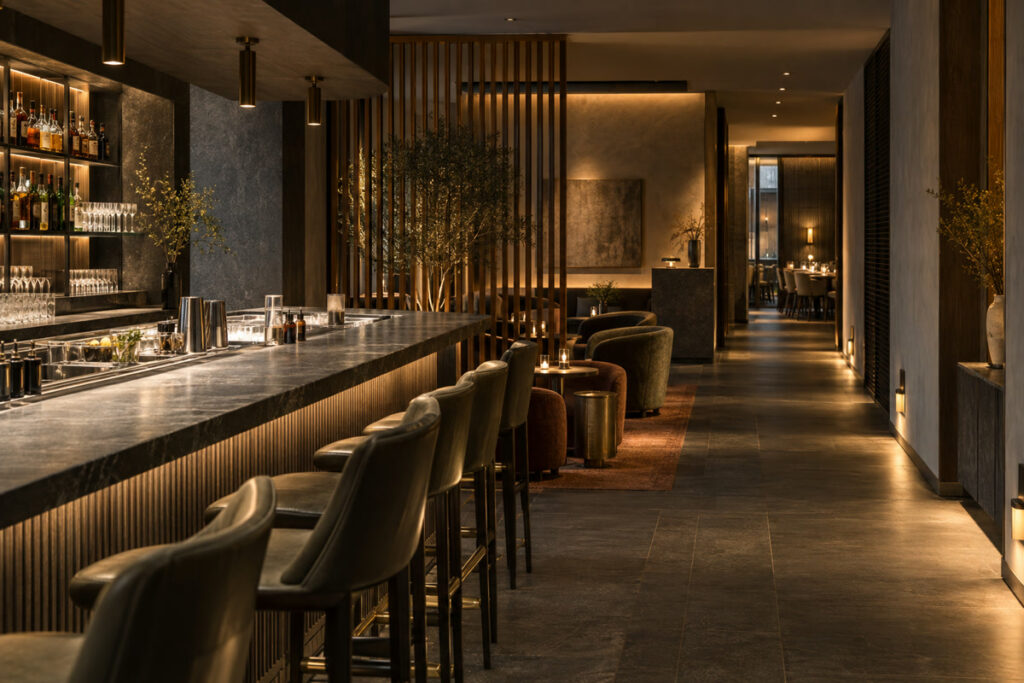
Transition areas rely on dedicated circuit groups so focused work lighting at the service counter never spills into relaxed lounge seating.
Separating Task and Ambient Lighting
A commercial bar must satisfy two competing needs: bartenders require clear, functional light to read chits, pour accurately, and clean glassware, while customers expect relaxed ambient levels. Placing both zones on a shared circuit forces the counter to be either too dim for prep or uncomfortably bright for guests.
The 3D plan resolves this split by isolating task and ambient circuits. Concealed LED extrusions beneath the bar nosing and narrow-beam downlights direct light onto the speed rail and preparation wells. Low-output decorative pendants and soft cove uplights provide ambient warmth around barstools. In the digital environment, designers verify that the working light remains shielded from direct patron sightlines.
Lighting Corridors, Entries, and Restrooms
Circulation paths direct foot traffic and ease the visual transition between bright exterior entries, moody dining spaces, and restrooms. An entryway steps illumination down gradually while maintaining a clean focus on the host station. Hallways rely on shielded path markers or shallow wall sconces to preserve ADA walkway clearances, while restrooms perform best with vertical, face-level sconces or perimeter mirror lighting that eliminates harsh facial shadows.
These circulation checks follow the same multi-zone ceiling coordination used in conference room design, where lighting layouts must coordinate cleanly with mechanical equipment and acoustic ceiling panels.
Reviewing Lighting in a 3D Rendering Before Approval
Digital renderings evaluate fixture proportions, beam spreads, and surface reflections from seated eye level before procurement begins.
Checking Fixture Scale, Beam Spread, and Material Reflections
Viewing a 3D rendering from a seated perspective exposes scale issues that two-dimensional elevations obscure. A dramatic decorative pendant that looks proportionate in a catalog elevation can easily crowd a compact two-top table once hung at dining height.
Beam spread and surface reflectance require the same attention. Narrow 15-degree spot optics place crisp 300 to 500 lux accents on tabletops, while 60-degree flood distributions illuminate main walkways. George Design Studio validates these photometric files within its 3D interior and exterior design process, identifying unwanted glare bouncing off polished quartz, wet-look glaze tile, or mirrored partitions before fixture orders go out.
Comparing Daytime and Evening Scenes
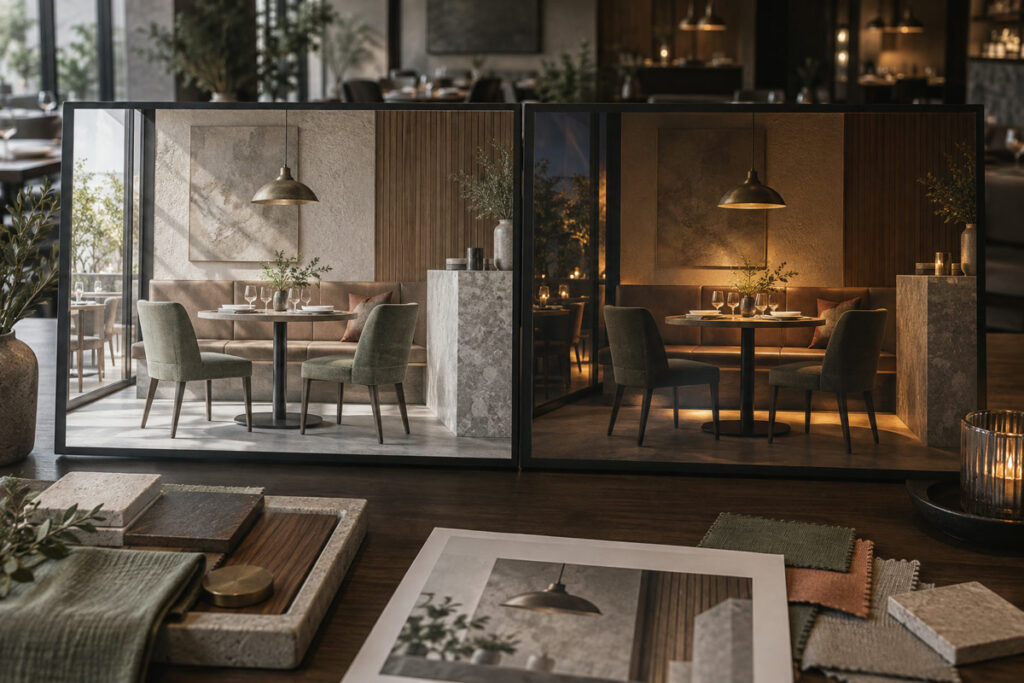
Spaces with storefront windows or outdoor dining experience substantial daylight variation throughout the day. A dining space balanced for late dinner service can appear dim under noon glare, while an interior room designed for evening warmth can feel heavy during lunch hours.
Rendering both midday and evening scenes demonstrates whether architectural window treatments and multi-channel dimming offer sufficient range. The comparison verifies that automated preset scenes maintain balanced contrast ratios throughout different service periods without relying on makeshift supplemental lamps later.
Revising the Lighting Plan Before Ordering
Resolving fixture adjustments inside the 3D model converts conceptual design into clear construction documentation.
Generating Construction Documents and Layouts
Design iterations, such as adjusting pendant locations for an updated seating chart, swapping specular downlight reflectors for deep micro-baffles, or reviewing brass against matte black accents, happen digitally before purchase orders are issued.
Once approved, the 3D model exports directly into dimensioned Reflected Ceiling Plans (RCP), fixture schedules, and driver load calculations. Reviewing completed restaurant interior design projects shows how locking down coordinates and circuit assignments in 3D provides electrical contractors with clear installation documentation before rough-in begins.
Confirming the Final Layout With the Project Team
Before finalizing fixture orders, the owner, interior designer, and electrical engineer should review the coordinated model together. The owner signs off on dining atmosphere, the designer confirms finish schedules, and the electrical team checks junction box coordinates, panel schedules, and dimming drivers against the RCP.
Following team approval, the 3D data guides manufacturing and delivery. George Design Studio pairs 3D lighting plans with custom manufacturing, aligning fixture engineering with destination electrical requirements (such as 110-120V or 220-240V systems) and international testing standards (including UL, CE, and SAA). This workflow delivers compliant, job-ready fixtures built to the exact dimensional tolerances of the project.
Frequently Asked Questions
Can restaurant lighting be changed after the 3D design is approved?
Yes. Fixture models, beam spreads, and hardware finishes can be updated during procurement, provided they match driver wattages and mounting details. Modifying layouts after conduit and junction boxes are roughed into the ceiling, however, requires physical framing and wiring changes. Finalizing the plan in 3D keeps revisions digital and preserves the construction schedule.
How does 3D rendering help restaurant owners choose between warm and cool lighting?
Renderings reveal how different spectral outputs interact with specific materials, including timber finishes, leather upholstery, and stone counters. Rather than evaluating isolated Kelvin numbers on a spec sheet, owners can see how a 2700 K source enriches warm architectural textures compared to how a 3500 K source renders space depth and contrast.
What information does a restaurant owner need to provide for a 3D lighting plan?
The design team requires a dimensioned architectural floor plan, structural ceiling heights, window locations, target seating counts, and the operational concept. Details on operating hours and service styles allow the team to program natural daylight shifts and dimming scenes tailored to lunch, cocktail, and dinner services.