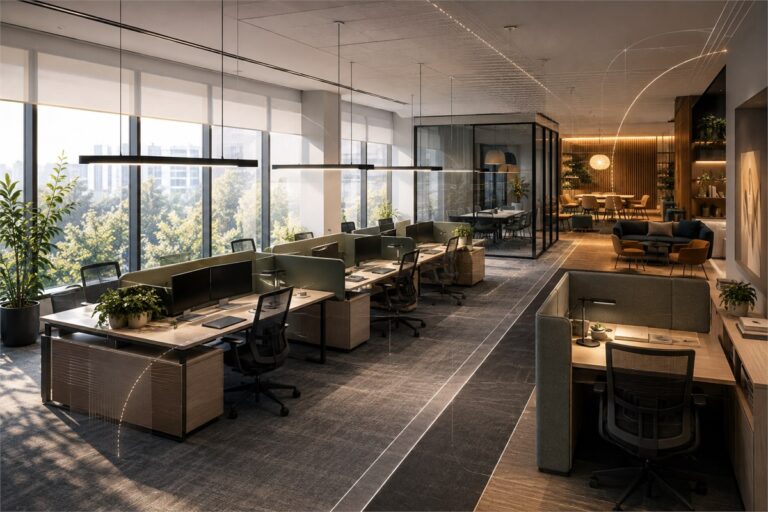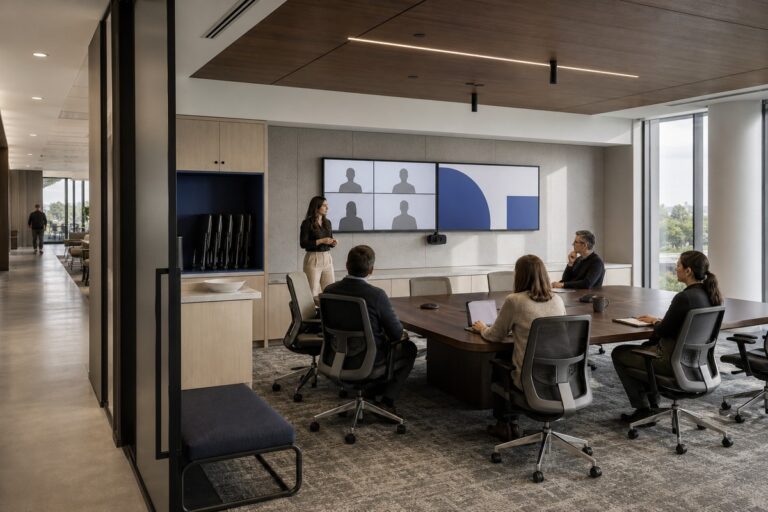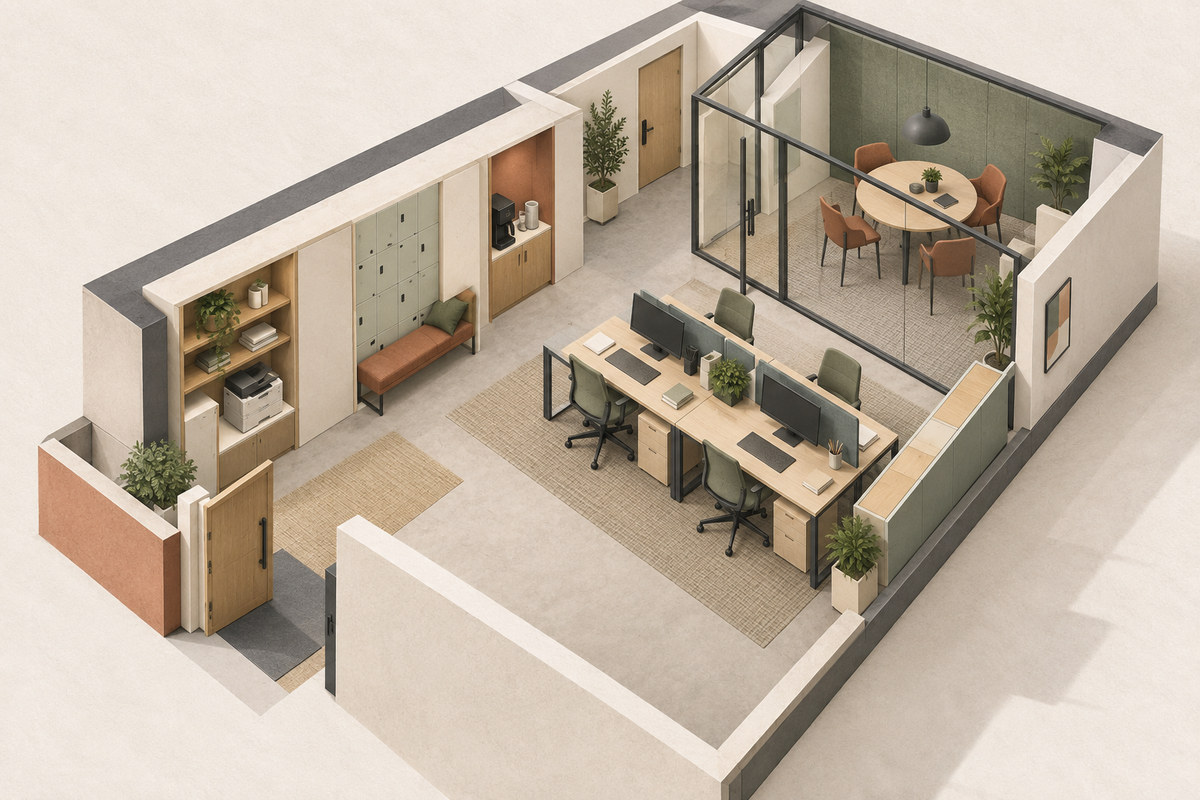
A small office layout should reserve space in this order: daily work, necessary movement, shared rooms that earn regular use, and compact support functions. Starting with a desk count often leaves no workable route to meeting rooms, storage, printing, or the entry.
Plan around the number of people present at the same time, the work they do, and the spaces they can share. The sections below show how to set an area budget, decide what needs enclosure, combine secondary functions, and test the floor plan before approval.
What Should You Know Before Planning a Small Office Layout?
Begin with occupancy and work patterns, because the staff roster alone does not show how many desks, rooms, or shared areas the office needs. A ten-person company with staggered attendance has a different space problem from a ten-person team that works on site together and holds frequent client meetings.
Simultaneous Headcount
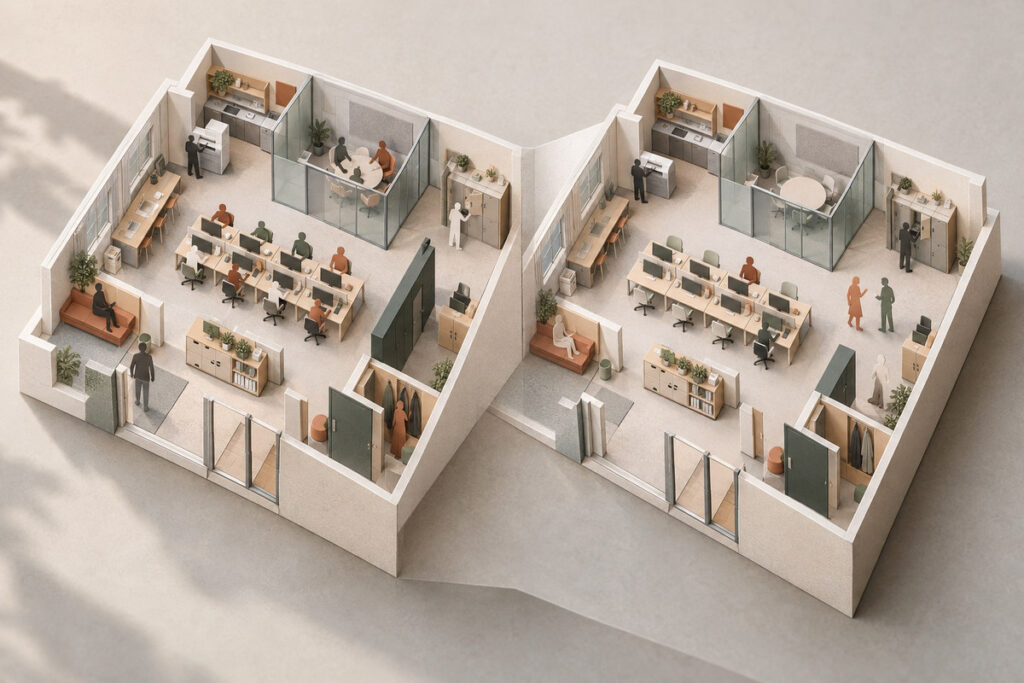
Record the normal number of people on site, the busiest expected period, and any visitors who may arrive at the same time. Use the busiest recurring condition to test circulation, meetings, waiting, and support functions. A peak that happens once a year may be handled differently from a weekly all-hands day.
Work Modes and Attendance Patterns
In commercial office interior design, separate focused desk work, calls, teamwork, private conversations, and short drop-in tasks. Assigned desks make sense when people are present most days or need fixed equipment. Shared workstations can reduce the desk footprint when attendance is staggered, but they also need a booking rule, personal storage, and a reliable reset routine.
How Should You Build the Area Budget?
Build the area budget by ranking each function as protected, adjustable, or shareable. This makes the tradeoffs visible before walls and furniture turn preferences into fixed costs.
| Function | Protect Space When | Compress or Combine When |
|---|---|---|
| Workstations | Staff use the office at the same time and need dependable work settings | Attendance is staggered and shared-desk rules are workable |
| Meeting space | Private calls, client discussions, or team sessions happen often | Most meetings are short, small, or can use one flexible room |
| Reception | Visitors arrive regularly and need a clear waiting point | Visits are scheduled and one compact arrival point is enough |
| Storage | Records, samples, equipment, or supplies must remain on site | Materials can be digitized, reduced, or stored within other zones |
| Printing and supplies | Several people use shared equipment throughout the day | Equipment use is light and can sit beside enclosed storage |
During the commercial interior design process, compare the full program with the usable floor area, not the lease total alone. Columns, fixed services, wall thickness, doors, and circulation consume space before furniture is added. If the program does not fit, reduce low-use functions or change how they operate. Shrinking every zone usually transfers the problem into blocked routes and unusable furniture clearances.
How Should Workstations and Circulation Share the Floor?
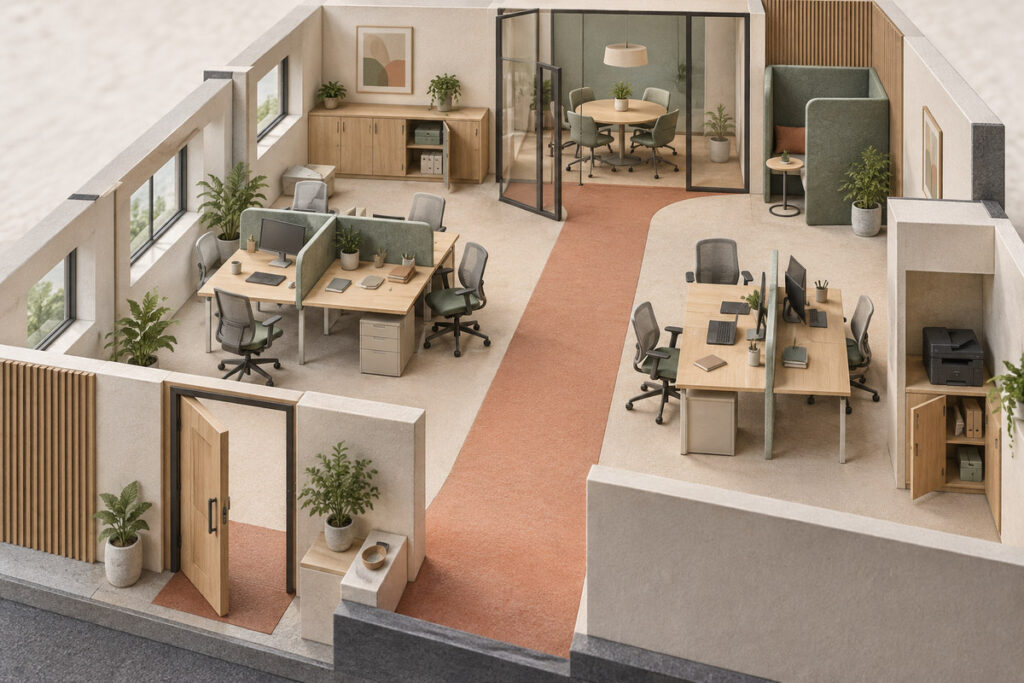
Workstations should use the most regular parts of the floor while circulation follows simple, direct routes to shared rooms and exits. Adding desks at the cost of direct routes creates interruptions and makes the office feel tighter.
Grouping Workstations
Group desks by team interaction, noise level, equipment, and access to shared resources. Place people who collaborate often close enough to speak without crossing the office. Put frequent calls or focused work where nearby activity will not create constant conflict. Desk groups should also respond to the daylight and screen conditions covered in an office lighting design plan instead of treating every available wall as an equal workstation location.
Protecting Movement and Access
Draw the route from the entry to every workstation, meeting room, storage point, and shared device. Then test the plan with chairs occupied, doors open, and cabinets in use. Avoid routes that cut between a seated person and a desk, pass through a meeting setup, or end at a crowded printer point. Local professionals should confirm accessibility, egress, and other regulated requirements for the actual site.
How Much Meeting Space Does the Office Need?
Meeting space should reflect actual meeting demand, not a standard room count. Review how often meetings happen, how many people attend, whether calls require privacy, and whether visitors need a separate setting.
Matching Rooms to Meeting Demand
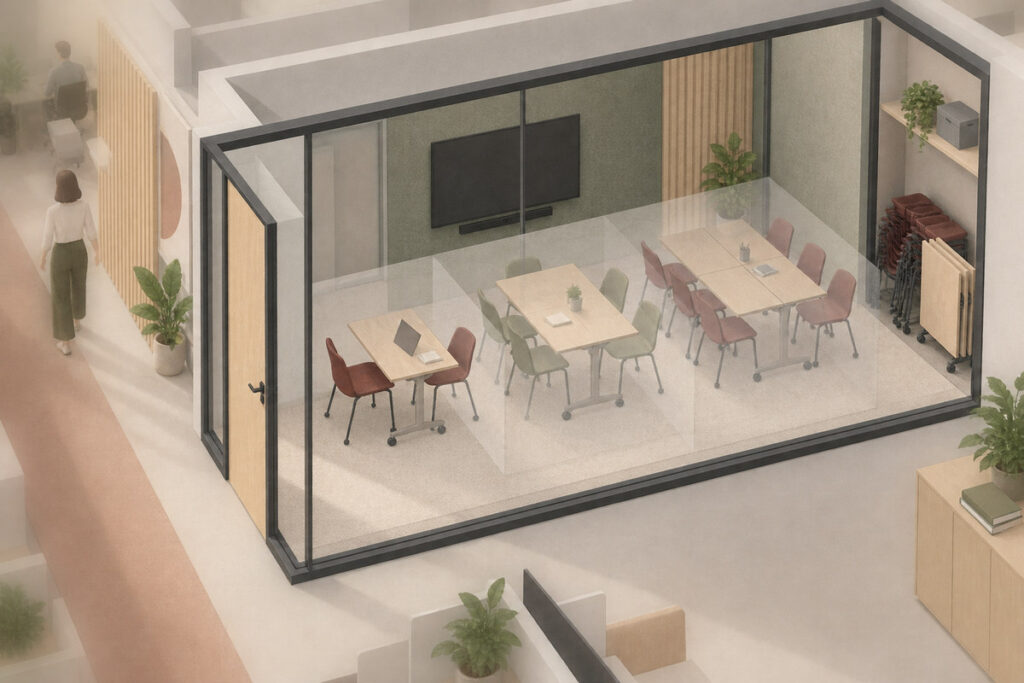
Use one enclosed room when the same group size and meeting type recur. Detailed conference room design should begin only after the broader office plan shows that an enclosed room earns its area. A larger room is hard to justify when most meetings involve two or three people, while several small rooms waste space when the team mainly meets together. Let regular use control the room plan, then show how the office will handle less frequent peak meetings.
Using Flexible Rooms Without Creating Daily Setup Work
A flexible meeting room can support team sessions, private calls, training, or temporary project work when the furniture moves easily and every approved setup preserves access to power, displays, storage, and doors. Flexibility fails when staff must relocate equipment, hunt for chairs, or rebuild the room several times a day. Record the changeover steps and storage location before counting one room for several jobs.
Which Support Areas Can Be Combined or Reduced?
Support areas should protect daily operations without taking the best workstation or meeting space. Keep functions separate when they create noise, queues, privacy concerns, or frequent traffic. Combine them when the use is light and the activities do not interfere with one another.
Reception and Arrival
A small business may need only a clear entry, a place to greet visitors, and one short-wait seat. A staffed reception desk earns its area when visitor traffic, security, or check-in duties require it. Otherwise, a compact welcome point beside a meeting room can preserve a professional arrival without creating an underused room.
Storage and Printing
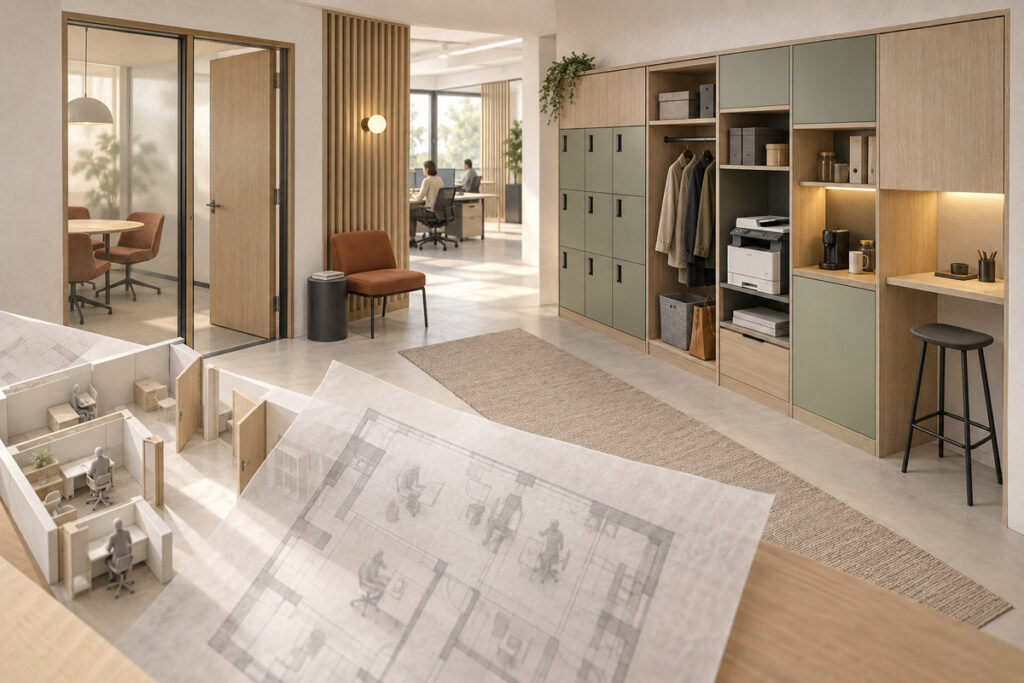
Place frequently used supplies near the people who need them, while keeping bulk stock and archives out of prime work areas. Printing can share a storage wall or enclosed support niche when noise and traffic remain manageable. Avoid placing shared equipment in a narrow passage or beside a workstation that needs sustained focus.
Shared and Flexible Support Space
Lockers, coat storage, a beverage point, project materials, and touchdown space can sometimes share one support zone. The combination works only when each function remains easy to reach and one use does not block another. Choose movable furniture for changing needs, but keep fixed locations for items that require power, plumbing, security, or controlled access.
How Should You Test the Floor Plan Before Approval?
Test the office floor plan in use, not as an empty furniture diagram. A design review with GEORGE INTERIOR can examine the normal day, the busiest realistic period, and the most disruptive recurring activity before walls, fixed cabinetry, or major furniture are approved.
- Place the expected occupants, visitors, and occupied chairs on the plan.
- Trace arrival, desk, meeting, storage, printing, and exit routes.
- Open doors and storage fronts, then show furniture in each approved setup.
- Run a typical meeting, delivery, private call, and all-hands period through the plan.
- List every function that must change when headcount or attendance patterns shift.
Use measurable plans for fit and circulation, then use 3D interior and exterior design views to check sightlines, enclosure, furniture scale, and the arrival sequence. Local project teams still need to verify site conditions, regulated requirements, and installation details.
When the layout still depends on several unresolved compromises, rank the conflicts before developing finishes or ordering furniture. Keep the operating brief, area budget, room list, and floor plan in one review package so each approval refers to the same assumptions. Local site and technical review remain separate responsibilities.
Small Office Layout FAQs
What Information Should a Small Business Provide Before an Office Layout Is Developed?
Provide a verified base plan, normal and peak headcount, attendance pattern, work modes, visitor needs, required equipment, storage needs, meeting demand, budget direction, and expected growth. Identify fixed site conditions and the people responsible for local technical and regulatory review.
Should a Small Office Layout Be Designed Around Existing Furniture?
Use existing furniture only after each piece has been measured and tested against the operating brief. Show occupied chairs, open cabinet fronts, and actual work surfaces on the plan. Keep furniture that supports the required work and clear routes; replace pieces that force a poor layout simply because they were purchased earlier.
How Should a Small Office Layout Account for Near-Term Growth?
Plan for a defined hiring and attendance scenario instead of reserving rows of empty desks. Use desk groups and support zones that can change with limited disruption, and identify where added capacity would affect circulation, meetings, storage, power, and data. If realistic growth already breaks a protected function, test a larger site.
When Should a Small Business Consider More Space Instead of Compressing the Plan?
Consider more space when protected work, circulation, privacy, storage, or essential support functions still conflict after low-use areas have been combined or reduced. A larger site may be more practical when the remaining plan depends on blocked routes, constant room changes, or work settings that cannot support daily tasks.